
Want to know first why you would record every conversation, and what you can do with those recordings afterwards? Then read capture every conversation with Plaud. This page is the practical part: buying, setting up and using it.
Which Plaud should you buy?
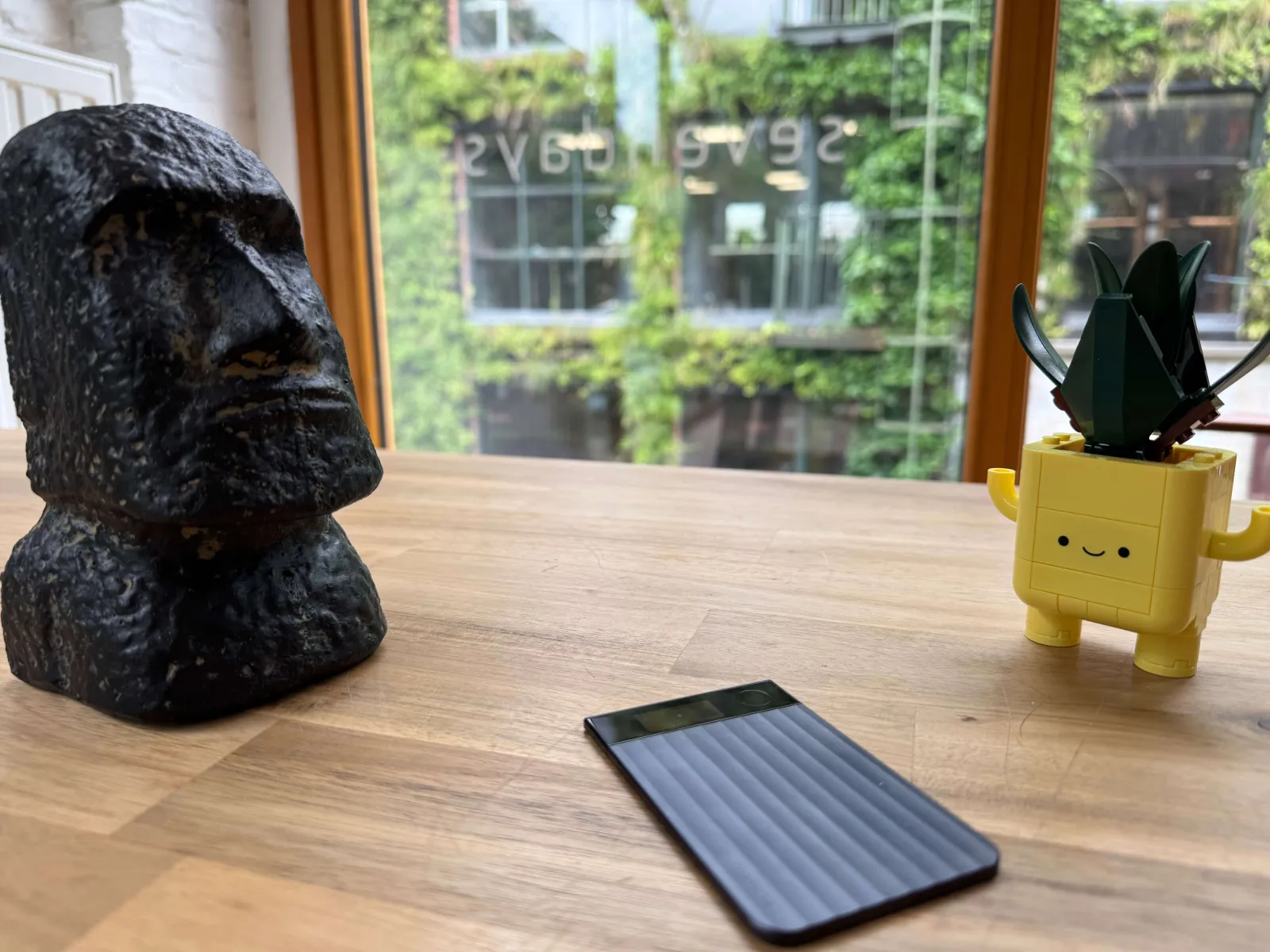
Buy the Plaud Note Pro. Plaud makes other devices too, but for most people the Note Pro is the best choice for its price (around €190):
- It records phone calls and switches to call mode by itself, on an iPhone too.
- It picks up a full meeting table well, thanks to four microphones with a range of up to five metres.
- You can find it again with Find My on your iPhone.
- It lasts a long time: 30 to 50 hours of recording on one charge.
- It's as thin as a bank card and attaches magnetically to the back of your phone.
Black or silver only makes a difference to the look. If you still want to see all the devices side by side, you'll find them on Plaud's comparison page.
Where to buy it
- Coolblue: Note Pro black (€186) and Note Pro silver (€190).
- bol.com: Note Pro black.
- Plaud itself: Note Pro in the European web shop (€189).
Prices as we know them on 20 October 2026, in Belgium. They change, so check with the shop itself.
Do you need a subscription?
The device records without a subscription. The subscription pays for what comes next: turning the recording into text and summarising it. That happens in Plaud's cloud and is counted in minutes per month.
| Plan | Minutes per month | Monthly | Yearly |
|---|---|---|---|
| Starter | 300 (5 hours) | free | free |
| Pro | 1,200 (20 hours) | €19.99 | €110.99 |
| Unlimited | unlimited | €34.99 | €224.99 |
Prices on 20 October 2026. The official, current prices are on Plaud's pricing page. There's also a Team plan per user, useful if you share recordings with several colleagues.
Good to know:
- Unused minutes don't carry over to the next month.
- If you run out of minutes, the device keeps recording. Only the transcription stops until the next month.
- The free Starter plan also gives you the app, the desktop app, the templates and the export.
Which plan should you choose?
Test Pro on a monthly plan first, then switch to a yearly plan. Five hours a month is gone after a few client meetings and a team meeting, and then you start choosing what to record and what not. That's exactly what you don't want at the start: record everything and find out what it gives you. Test it for one or two months on a monthly plan. Then you'll know whether you'll keep using it and how many minutes you really need. If you record several hours a day, go for Unlimited. Then switch to a yearly plan: it's a lot cheaper. Pro costs €110.99 a year, against almost €240 if you pay twelve months separately.
Later on, you can also do without a subscription. If you want to process the recordings further, you take the audio out of Plaud and have it transcribed elsewhere. At Sevendays we use ElevenLabs for that, because it handles Flemish better and we process the transcript straight into our own system. That does take an integration you have to set up and maintain. So start with the subscription first.
The first steps
- Charge the device and install the Plaud app on your phone (iPhone or Android).
- Create an account and pair the device over Bluetooth. In Europe, choose Plaud's European environment.
- Set the language to the one you speak instead of automatic detection. That gives a better transcript.
- Record a test conversation: press and hold the button until the device vibrates. Pressing and holding again stops the recording.
- Sync and transcribe. The recording is stored on the device first and then goes to the app. Wi-Fi transfer is much faster than Bluetooth, especially for long recordings.
- Choose a template for the summary, such as a meeting, a client conversation or a job interview. You can also make your own template.
Tips you won't find in the box
It sticks to the back of your phone
The box contains a magnetic case and a magnetic ring. On an iPhone with MagSafe it attaches straight away; on other phones you first stick the ring on the back. That way you always have it with you, without having to think about it.
Recording phone calls
When the Note Pro is attached to the back of your phone, it also records your phone calls, both your voice and the other side. It picks up the call through the vibrations of your phone. That's why it also works on an iPhone, which doesn't let you record calls itself. The Note Pro switches between call and meeting mode by itself.
Do say at the start of the call that you're recording and why. The exact rules in Belgium are explained in recording conversations: what is allowed?
Calling through your car kit
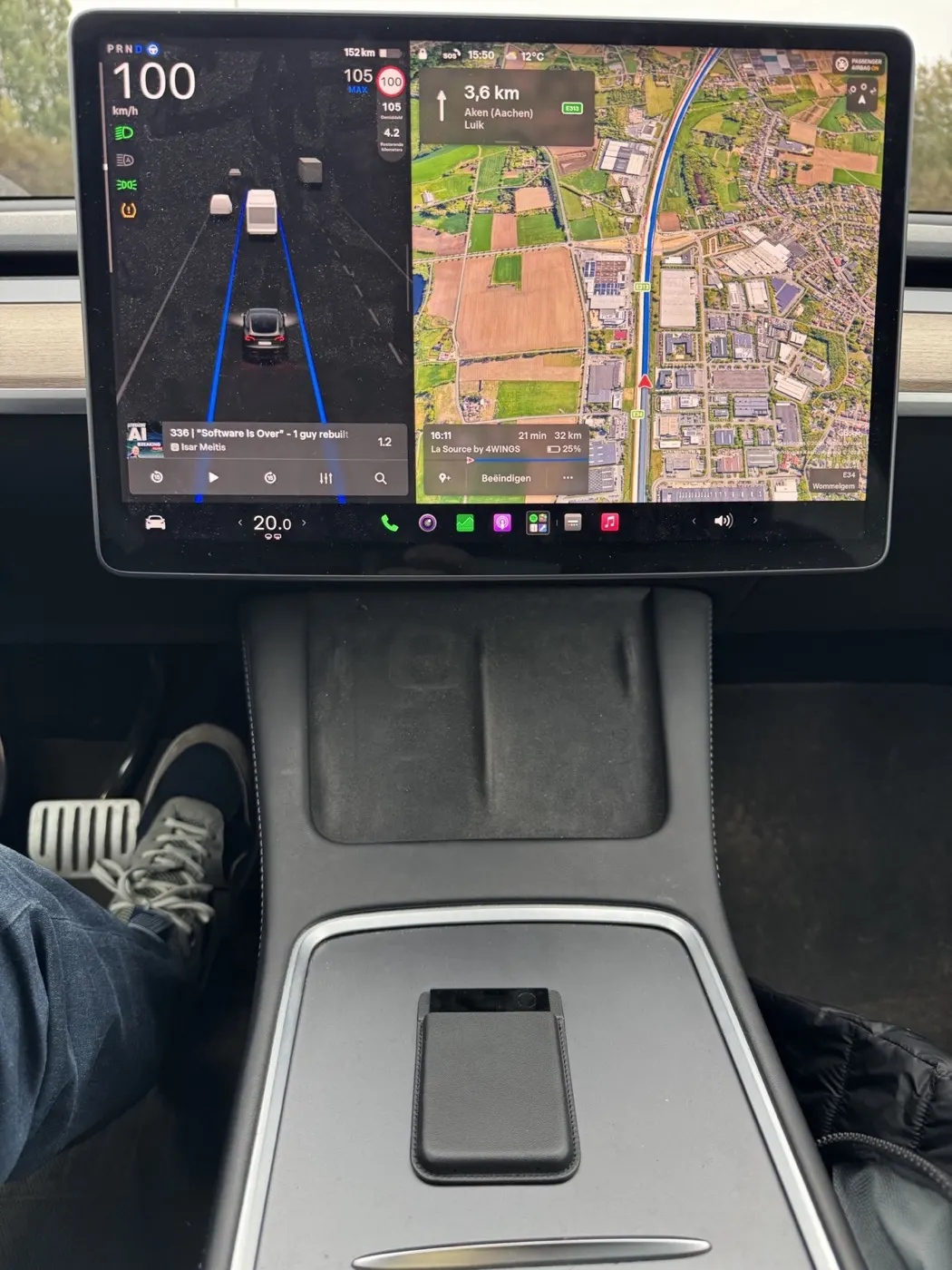
If you call hands-free through the car kit on the road, the conversation comes out of your car's speakers and not out of your phone. If the Plaud is attached to the back of your phone, it misses the other side. So put it loose in the car, for example in the centre console, and record as you would in a meeting: it then picks up your own voice and the one from the speakers. Preferably start the recording before you set off, so you don't have to do anything while driving.
Lots of calls on your mobile? Consider Telsmart too
If you only call now and then, the Plaud is enough. If you're on the phone a lot, a telephony solution like Telsmart is worth considering. It records every call, incoming and outgoing, without you having to think about it or bring the Plaud along. You have all your calls without worrying, and you always know exactly who said what. A Plaud recording at first only shows "speaker 1" and "speaker 2".
Want to get more out of it? Then have the recorded calls transcribed by an external transcription service, as we do with ElevenLabs. That gives a better transcript in Flemish, with the right names and jargon, and you can process it further in your own systems, for example under the right client in your CRM.
Finding your Plaud with Find My
The Note Pro works with Apple's Find My. Add it in the Find My app on your iPhone and you'll see where it is, just like an AirTag. Left it in a meeting room or dropped it from your pocket? You'll find it again. Android has no equivalent feature.
Plaud doesn't know who is who
This is the main thing to watch out for. Plaud does hear that different people are speaking and separates them as "speaker 1", "speaker 2", but it doesn't know who those people are. That applies at the table and on the phone. Without names, a report is less useful: who promised what?
- Name the speakers yourself in the transcript. Do it before you generate the summary, otherwise the summary keeps the old labels.
- Turn on automatic speaker recognition (in the app's preferences) and record your own voice. After that, Plaud often recognises people you have named once.
- Say names out loud at the start: "Hi Jan, hi Els, I'm recording for the minutes." That helps both you and the AI.
Online meetings on your computer
With Plaud Desktop, included in every plan, you also record your video calls, in Teams, Google Meet, Zoom or any other platform. Those recordings end up in the same place as the ones from the device.
Place it well
Put the device in the middle of the table, not next to your laptop or under papers. Clinking coffee cups or typing on a keyboard right next to the device makes the transcript worse.
Getting Plaud, your calendar and your email to work together through Claude or ChatGPT
If you use your calendar consistently, you can already automate a lot. And it's easier than you think: Plaud has an official integration with both Claude and ChatGPT. You don't have to build or install anything.
Important to know: you don't connect Plaud directly to your calendar. You connect Plaud, your calendar and your email each separately to your AI assistant, and it makes the links. Claude or ChatGPT then reads your recording, looks up the matching appointment in your calendar and uses it to complete the report.
Here's how to set it up, in a few minutes:
- In Claude: open the settings, go to the connectors and search for Plaud. Click connect and sign in with your Plaud account.
In ChatGPT: click Apps on the left, search for Plaud, click connect and sign in with your Plaud account. It then also works in the ChatGPT app on your phone and your computer. - Connect your calendar and, if you like, your email the same way: with a Google account you choose Google Calendar and Gmail; with a Microsoft account, Microsoft 365 (Outlook).
After that you can ask things like:
- "Take my recording from 2 pm, find the appointment in my calendar and replace speaker 1 and 2 with the names of the attendees."
- "Write a report of this morning's meeting and draft a follow-up email to the client."
- "What did we agree with this client last month about the delivery time?"
That way the calendar largely solves the speaker problem: whoever is in the invitation was most likely in the conversation. The more accurate your calendar, the better this works. To find out what Claude is and which version to use, read which Claude do you use when?
What about your privacy?
Plaud stores the data of European accounts in Europe (AWS Frankfurt) and offers a data processing agreement. If you use Plaud for client conversations, sign that agreement and agree on a retention period for the recordings. More on that in EU hosting and zero retention and recording conversations: what is allowed?
Related terms
- Recording conversations: what is allowed?: when you have to say you're recording, and how long you keep recordings.
- What is speech-to-text?: how a recording becomes a transcript, and why Flemish is a challenge.
- What is MCP?: the technology behind the integration between Plaud and Claude or ChatGPT.