Anyone who works with a CRM knows the feeling. Someone types a mobile number into the landline field. One landline is stored as "03 123 45 67", another as "+32 (0)3.123.45.67". A customer emails from two addresses and ends up in the CRM twice. And here and there a contact is simply named after their email address.
On its own, a small annoyance. Until you want to call from your CRM, build a list for an event or set up a campaign. That is when the mess really costs you time.
info@bedrijf.be
What did we find in our own CRM?
The trigger was very practical. We are organising an AI workshop and were putting together a list of people to invite and call. That is exactly where we ran into the mess: numbers in the wrong field, contacts without a number, the same person twice. So we gave our own CRM, HubSpot, a thorough cleanup straight away.
We reviewed thousands of contacts. This is what came up:
Landline: 0470 12 34 5603 123 45 67 · +32 (0)3.123.45.67Mobile number: an invisible line breakjan@bedrijf.be and info@bedrijf.beName: info, jan.peetersHow do you approach a cleanup like this?
At Sevendays, Claude has access to our CRM (HubSpot), our mailbox and our call history. The rest happens in plain language. No script someone has to write first, just clear agreements.
We work with Claude, but the same approach works with ChatGPT, Microsoft Copilot or Gemini, as long as they are securely connected to your CRM and mailbox.
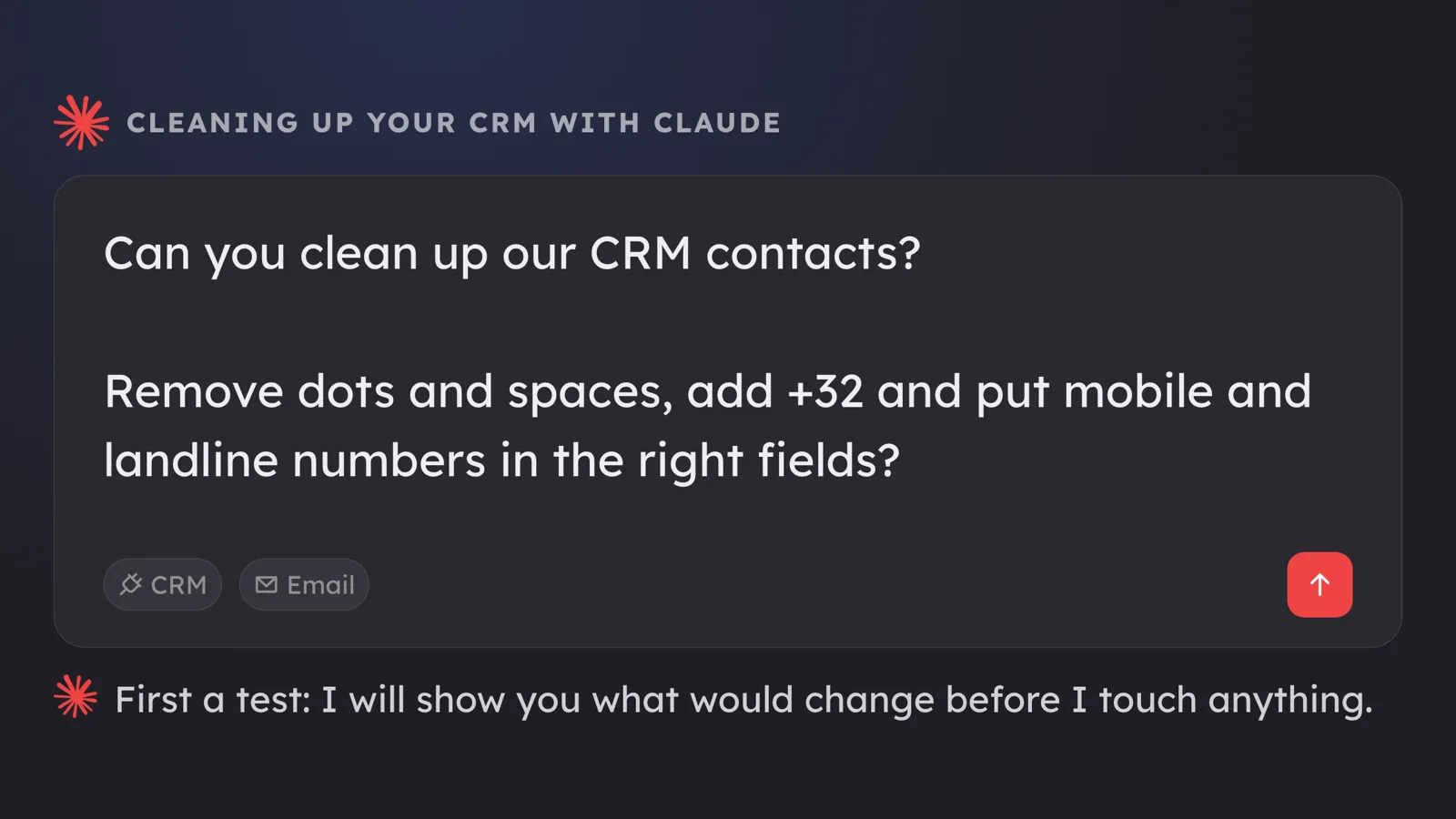
- Look first, touch nothing. Claude reads all contacts and shows, per type of problem, what would change, with examples.
- Rules in plain language. A Belgian mobile number starts with 04, a Dutch one with 06. Mobile numbers in one field, landlines in the other. Always with country code, no spaces.
- Doubt goes to a human. Unreadable numbers and contacts with two different mobile numbers are left alone, because you cannot simply decide those for someone.
- Only write after approval. Then Claude counts again, so you know for sure everything has been processed.
The result for us: almost two thousand contacts updated and zero open items. The number of filled-in mobile number fields rose by more than half, simply because the numbers are finally in the right field.
And the numbers that were nowhere to be found?
For recent contacts without a number, Claude kept looking in two places: the signatures in their emails and the phone calls we made ourselves. A number we actually called is the strongest source there is.
One important rule: only the sender's own signature counts, not numbers that appear elsewhere in the email.
- Dozens of contacts got a number from a signature or a call.
- Plenty of names were corrected: the real name from the signature instead of a piece of the email address.
- People listed twice in the CRM were merged. Both email addresses were kept in one contact.
Mopping with the tap still running?
A one-off cleanup is nice, but on its own the same mess simply creeps back in. So we turned off the tap straight away. Much of our CRM work now runs through Claude, such as setting up a new opportunity or adding a visitor from a networking event. All those processes now use the same checks and the same cleanup:
- One agreement, in one place. What counts as a mobile or a landline number, and how to write it, lives in one place. Every process that runs through Claude uses that same agreement.
- A check at the gate. Before Claude writes anything to the CRM, it gets checked. So even a forgotten or new process cannot put a mobile number in the wrong field.
- Clean up as you work. When you touch an existing contact again through Claude, for example for a new opportunity, the numbers already there get checked too.
What someone types directly into the CRM is not covered. But everything that runs through Claude goes through the same cleanup, without anyone having to think about it.
This used to cost you hours
Cleaning up contacts used to be manual work: checking contact by contact, hunting down duplicates and retyping details from email signatures. If you didn't want to spend hours on it, you bought a separate tool. We did it with a few prompts, within our Claude subscription.
What should you watch out for?
- Always start with a test. Have it show what would change before anything changes.
- A human decides when in doubt. AI is fast, but an unclear number is better left empty than wrong.
- Merging cannot be undone. Choose deliberately which contact becomes the primary one and which email address comes first.
- Use a business-grade, secured setup. Your CRM and mailbox hold sensitive data. Also read why not everyone needs to see everything.
Set once, applied to every task
The cleanup itself was the easy part. The biggest gain is what stays: how a phone number should look, where a mobile and a landline number belong and what we do when in doubt is now defined once. Every task that processes CRM data or phone numbers through Claude follows those agreements automatically, including tasks we only add later.
That is what AI connected to your own systems delivers: not a one-off cleanup, but a process you can rely on. Want to know how clean your CRM really is? We are happy to take a look together.