Chances are you already have Microsoft Copilot. For many companies it simply came with their Microsoft licenses, but it's often also a deliberate choice: you stay in the familiar Microsoft ecosystem, where you feel your data is safe. That's exactly why it matters that something has changed under the hood, even if you haven't noticed it yet.
What's changed?
Two things, and they're connected:
- Model choice has arrived, in certain parts. Alongside OpenAI's model, you can now also choose Anthropic's Claude in parts of Copilot: mainly in Cowork (with a real model picker) and when building your own agents in Copilot Studio, and also for research (Researcher) and in Excel. In the everyday Copilot chat (Word, Outlook, Teams) the choice is more limited, more automatic or set by your admin. So Copilot isn't "multi-model" as a whole, but it is in certain places.
- There's "Cowork". An agent that doesn't just answer, but carries out a task in multiple steps on its own, across your mail, calendar and files.
In parts of Copilot you now pick the model yourself, and an agent can get to work on its own.
Claude Cowork or Copilot Cowork?
This is where confusion creeps in, because the same name is used for two different things:
- Claude Cowork: Anthropic's own product, an agent in the Claude app that works on your local files and connected tools on its own.
- Copilot Cowork: Microsoft's version inside Microsoft 365, which can use Claude as one of its models.
So you're really comparing Anthropic's own agent with Microsoft's agent that can also run Claude. The differences side by side:
| Claude Cowork | Copilot Cowork | |
|---|---|---|
| Whose / where | Anthropic, in the Claude app | Microsoft, in Microsoft 365 (Teams, Outlook, …) |
| Default context | Your local files + what you connect (e.g. Office 365 mail) | Your Microsoft environment (mail, calendar, SharePoint, org search), out of the box |
| Runs where? | On your device (desktop app); for long-running work your computer must be on | In the Microsoft cloud; keeps running in the background, even when your PC is off |
| Model | Always Claude, newest capabilities first | Model choice (GPT in Azure, Claude); "Auto" sometimes picks a lighter model |
| Data | Anthropic processes everything | Microsoft is the boundary; GPT stays in Azure, Claude goes to Anthropic |
| Management | Via Anthropic, separate from your Microsoft tenant | Central in the M365 admin center (identity, DLP, audit) |
| Cost | Flat price per user (Max plan) | M365 Copilot license + usage-based billing |
| Best for | Power users, local work, not Microsoft-bound | Microsoft companies rolling it out broadly and governably |
Same model, different result
In Copilot you can explicitly choose Claude Opus 4.8, the same top model that Claude Cowork uses. Yet they don't perform identically, and that comes down to a distinction most people don't make: the model versus the shell.
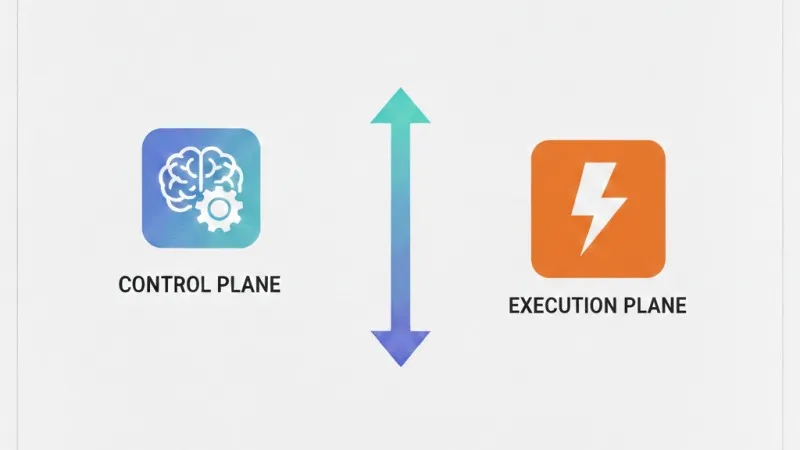
An AI agent is the model (the brain) plus a shell around it: how it plans, which tools it has, how it handles your files and memory, and which limits it respects. That shell makes a big difference:
- Claude Cowork runs on Anthropic's own shell, tuned to their own model, with the newest capabilities first and fewer layers in between.
- Copilot Cowork runs on Microsoft's shell, built to work with multiple models and with governance on top. Handy, but "Auto" sometimes picks a lighter model for speed or cost instead of the heaviest one.
In other words: the same AI can perform differently depending on the packaging. The brain can be the same, the way it's deployed isn't. Anyone who only looks at the model name misses half the story.
An example makes it concrete. Say you ask: "summarize this week's quotes and send them to my team." Same Claude, but depending on the shell you get something different:
- Claude via Copilot knows your Microsoft environment: it finds the quotes in your mailbox and SharePoint, and sends the summary via Outlook (after you approve it). But it stays within that Microsoft world.
- Claude directly (in the Claude app or Claude Cowork) works on the files you hand it or that sit on your computer, and can do a deeper, multi-step analysis. It also has a large working memory, so it can take in many documents at once. You can connect your Office 365 mail to it too (there's an Outlook integration), but you set that up yourself; it's not built in like with Copilot.
The difference isn't in Claude itself, but in the shell around it: what it can see, which actions it can take, and how much of its power you get. So the question isn't "which model is better", but "which shell fits where my work and my data live".
What to watch out for
- Data. Exactly those who chose Microsoft for safety will want to know this: GPT 5.5 runs in Azure, inside Microsoft, but if you choose Claude, your data goes to Anthropic, outside that Microsoft boundary. For sensitive or regulated data that's a deliberate choice. It ties in with what we watch anyway: data within Europe and not reused for training.
- Cost. Copilot Cowork bills on usage (model, steps, runtime); Claude Cowork is a flat price per user. So heavy work gets more expensive with Copilot.
- Governance. Who may use which model, and with which data? Without agreements everyone uses everything, and you lose the overview.
And your own systems?
Good news: Cowork can also reach your own systems, not just your Office files, via MCP. That's an open standard for connecting AI to your software, a bit like a USB port: one socket that fits many things. It lets an AI safely and predictably retrieve data from or perform tasks in another program.
But that socket isn't the installation. Someone still has to build and maintain that bridge: making the connection to your ERP, accounting or industry software (including systems without an API), and making sure the work keeps running reliably without a human in the loop. That's exactly where an assistant stops and a real process begins. And if you want it to run while your PC is off and connected to your own systems, you need a server-side setup rather than a desktop assistant, and that's precisely what we build.
Our honest take
The honest summary: Cowork does your office work, we keep your business running. Whether you pick Copilot Cowork or Claude Cowork, they remain assistants mostly within the world of your documents and mail. And the tool is rarely the problem: most AI projects never get past the test phase, not because of the technology but because of the approach. So the real win is in the choices around it, and that's where we come in:
- The right choice for your situation. Which concept, which model, with which data agreements and which cost picture. We're not tied to one vendor, so we pick what works for you.
- Connecting with what lives outside Microsoft. Your ERP, accounting, CRM, planning, point of sale or that one old system without an API. That's where Cowork stops, and where we begin.
- From assistant to process. Not just helping someone with a task, but automation that runs reliably in the background, connected to your own data, safely within Europe.
Curious what this means concretely for your (Microsoft) environment? Book an introduction or see which use case is closest to your situation. We listen first, then we build together.