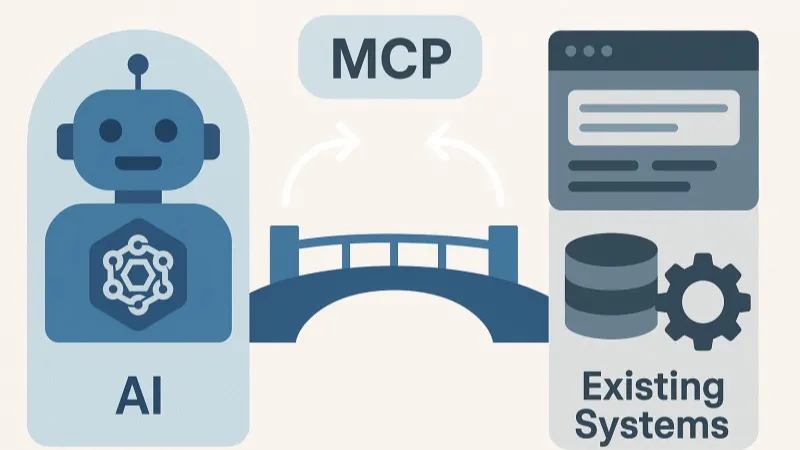
A year ago, AI was mostly a chat window: you pasted text in and copied the answer back out. Today, at many companies, it is connected directly to the mailbox, the shared folders, the ERP and the CRM. That happens through MCP, the standard that lets an AI tool talk to your other software. It works well, and that is exactly why the number of connections grows faster than anyone can keep track of.
How it turns into a tangle
It always starts with a good idea. Sales connects ChatGPT to HubSpot to draft quotes faster. The managing director lets Claude look into Outlook and Odoo. In accounting, someone uses Copilot with access to Business Central. And the Plaud recordings of customer meetings end up in Notion.
Each choice makes sense on its own. But six months later you have three AI tools, ten systems and dozens of connections, each with its own login, its own permissions and its own history. Nobody decided it should be like this, it just grew.
- Every AI tool is connected separately to every system
- Logins and permissions set up again for each connection
- Every connection loads all its functions, even the ones you don't need
- Nobody knows who can reach which data through AI
- What the AI did is scattered across ten places
- All AI tools go through one entry point
- Permissions per person, managed in one place
- The AI only gets the functions the task needs
- You connect a new system once, for everyone
- Every action ends up in one audit log
Where it hurts
As long as everything works, you barely notice. The problems only come to light when something goes wrong, or when someone asks a simple question.
- Who may do what? A connection gets the permissions of whoever set it up, and that is often someone who can access everything. On top of that, you set those permissions separately for each connection, so nobody has the full picture. Why that matters, you can read in not everyone needs to see everything.
- What did the AI do? An email sent, a customer record changed, a file moved. If you want to check that afterwards, you have to search ten systems.
- Too many functions. Every connection hands the AI a list of everything it can do: look up quotes, create customers, read invoices, and so on. For an ERP, that quickly adds up to several dozen. All those functions sit in the AI's working memory, even when you ask one question about one customer. That makes it slower and more expensive, and it reaches for the wrong function more often.
What an AI gateway does
An AI gateway places one control layer between your AI tools and your systems. The AI tools only talk to the gateway, and only the gateway knows how to reach your mailbox, your ERP or your CRM. That looks like a small change, but it solves the three problems above in one go.
One entry point
Claude, ChatGPT and Copilot use the same address. You connect a new AI tool once.
Who you are
The gateway knows which colleague is asking, not just which tool.
Permissions
Per person or role, in one place. Accounting gets Business Central, sales gets HubSpot.
Logins
Passwords and keys for your systems live in the gateway, not scattered across tools and accounts.
The right functions
The AI only gets the functions that fit the question, not all several dozen at once.
Audit log
Every action in one place: who, when, in which system and with what result.
When someone leaves, you close one account in the gateway, instead of hunting for the connections that ran through their account. When a system is added, you connect it once and decide right away who may use it through AI.
Do you need one?
Not always. If you work with one AI tool and two or three connections, you are better off setting the permissions correctly in that tool itself. A gateway then mostly adds an extra layer.
It does become interesting as soon as a few of these apply to you:
- Your team uses more than one AI tool side by side, for example one colleague uses Copilot and another ChatGPT or Claude.
- The AI is connected to more than a handful of systems.
- Those systems hold sensitive information: accounting, payroll, customer data, contracts.
- You need to be able to show what happened to that data, for a customer, an audit or the AI Act.
A simple test: can you say in one sentence which AI is connected to which system, and with whose account? If you can't anymore, it is time to bring some order.
What to look for when choosing
The market is still young. There are specialised providers, such as Composio, and you can also build such a layer into your own AI platform. Whatever you choose, ask yourself these questions:
- Where is your data? Everything the AI requests passes through the gateway. EU hosting and clear agreements on retention are no detail. More on that in EU hosting and zero retention.
- Does it work with the tools your team already uses? A gateway that only works with one AI tool solves only half the problem.
- Can you add your own connections? Standard connections for Gmail or Slack are always there. Your own software or an older application often isn't.
- How detailed can you set permissions? Just "on" or "off" per system is too coarse. You want to be able to say: reading is fine, deleting is not.
- Can you view and export the audit log? An audit log you can't search won't help you with a question or an incident.
Start with a list
Before you pick a tool, one exercise already helps a lot: list which AI tools are used in your company, which systems they are connected to and with whose account. That list alone often gets people thinking, because there is almost always a connection on it that nobody knew about anymore.
More on how we connect systems is on our page about connections. Not sure whether you need a gateway? Feel free to ask your question below.